Online booking
Online booking for garages, without living on the phone
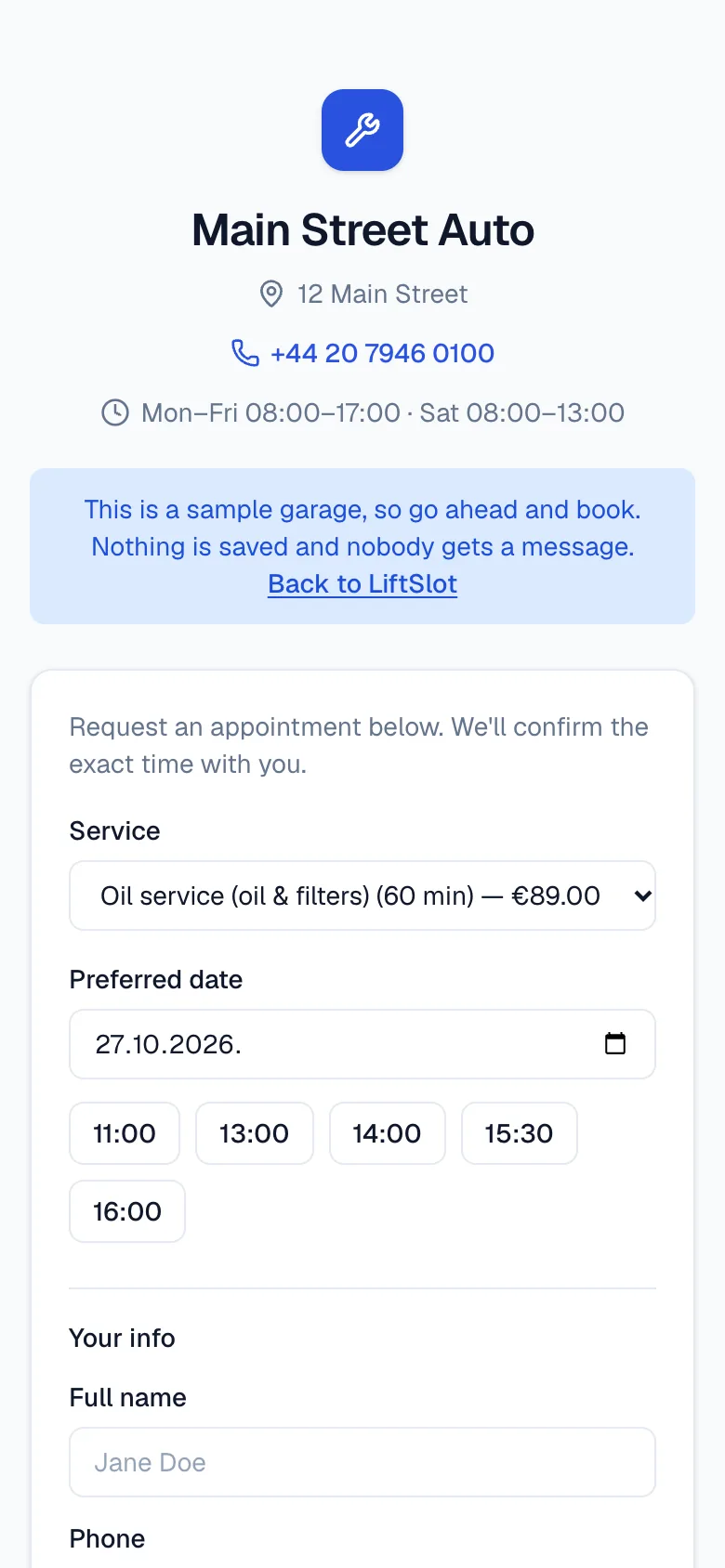
Customers open your link, pick a service and a free time, and the booking lands in your schedule. LiftSlot gives you the booking page and the schedule you see it in.
See how booking works- 30 days free
- no card
- data stored in the EU
- cancel any time
How booking works today, and how it could
Bookings come in by phone, text and Facebook
One link for all of them: put it on your Google profile or Facebook, or send it in a message. Every booking ends up in the same place, under Requests or straight in the schedule.
A customer picks a time that's already taken
The page only offers times when the job really fits, going by your hours, the service's duration and free lifts. Requests waiting for your answer hold their place too.
You don't want anyone booking without asking
Your call: bookings confirm on their own, or each one arrives as a request you confirm, move or decline.
Customers don't want to create an account
They don't have to. They pick a service and a time, leave a name and phone number, and that's it. The plate and e-mail are optional.
From booking to schedule
What comes with online booking
Online booking
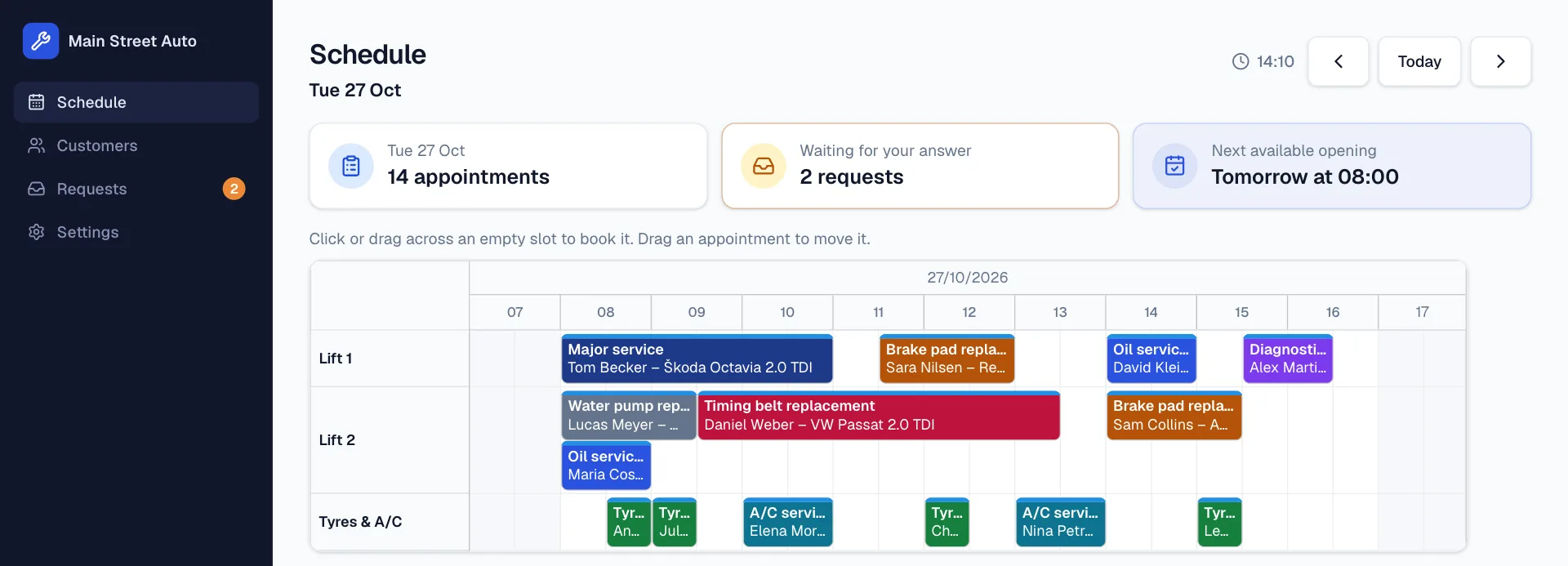
A public page with your services, opening hours and free times. You choose: bookings confirm automatically, or they wait for you to confirm.
No double bookings
LiftSlot suggests the first free times and picks a free lift. By default, the same lift or mechanic never gets two jobs at once, unless you allow several cars at the same time.
Morning drop-offs
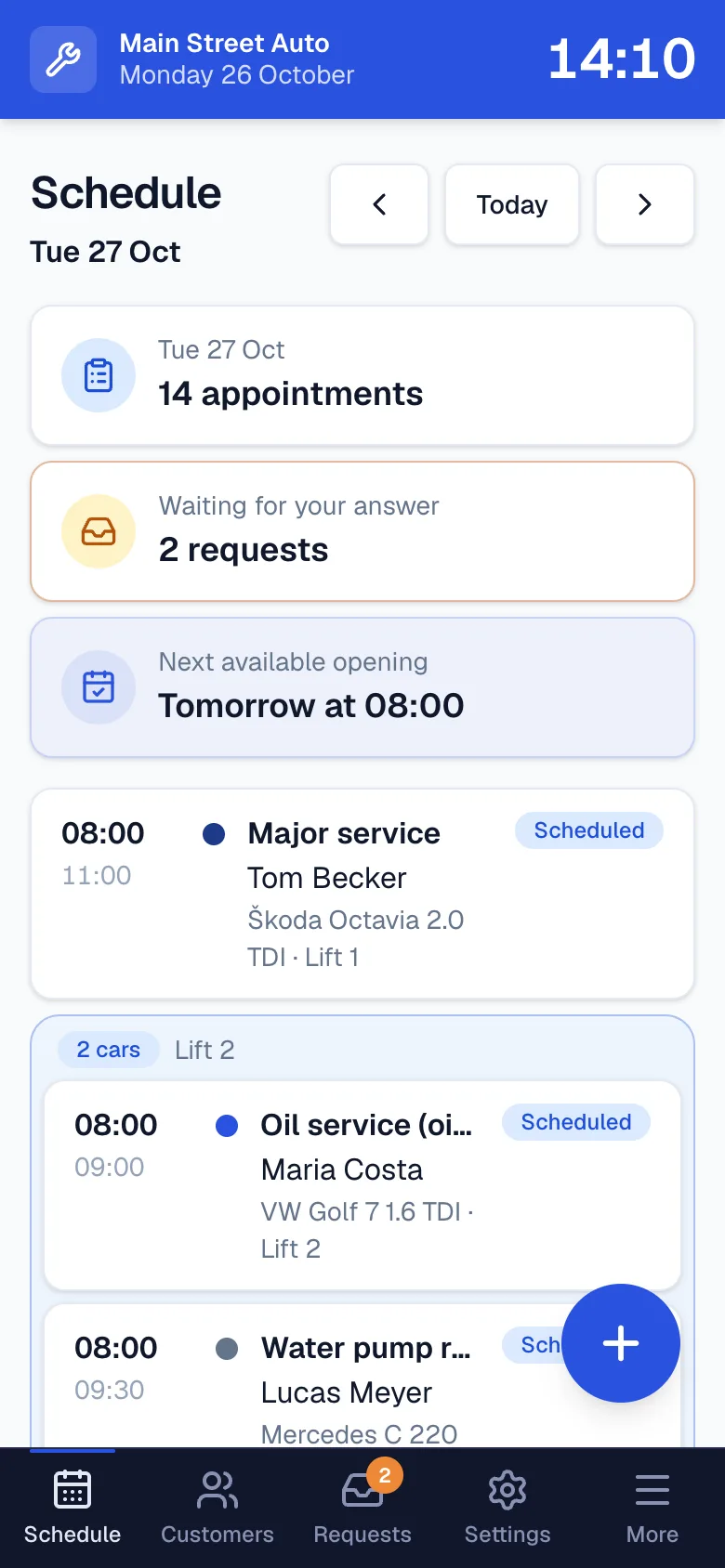
Customers leave their cars at 8 and you get to them during the day? Allow several cars at the same time and they line up side by side on a lift. For online bookings you can set how many cars a time can take.
Not on your list? Just describe it
Type what needs doing, pick how long it takes and book it. If it's a job you'll do again, save it as a service with one tap.
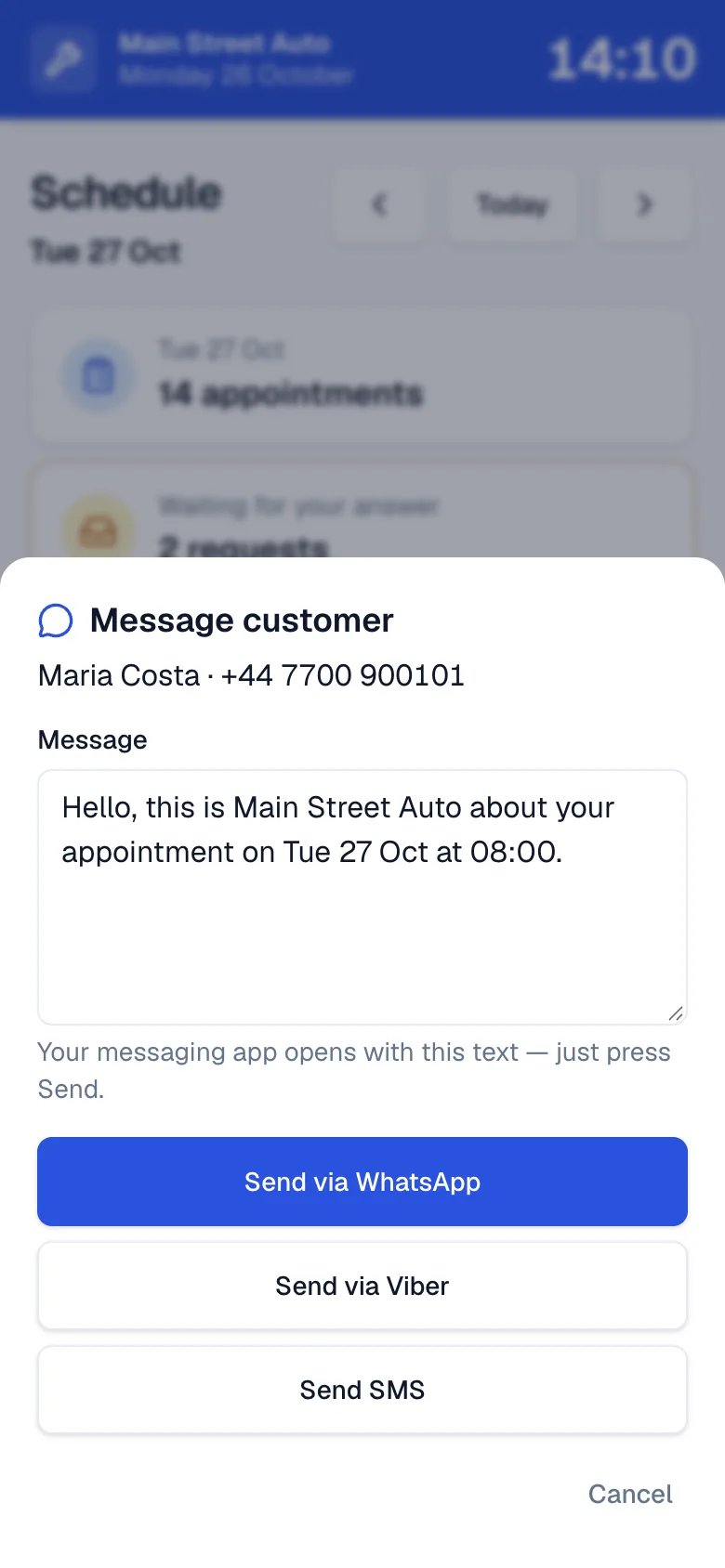
Message the customer in one tap
“Your car's ready” or “Your booking's confirmed” is already written. Send it with WhatsApp or SMS, or copy it into Viber.
Phone, tablet and computer
It runs in the browser, so there's nothing to install. On a phone, add it to your home screen and it opens like an app.
Pricing
Online booking is included
No charge per booking and no extra for the booking page: it's all in the same plan.
Everything included
29 €/ month
Final prices. We're not VAT-registered.
One extra oil change a month covers it.
First 30 days free. No card needed.
Pay early and keep your free days. Your first charge comes when the trial ends.
- Schedule by lift or bay
- Your own online booking page
- Customers, cars and job history
- Messages to customers via WhatsApp, Viber or SMS
- Access for staff and mechanics
- Works on phone, tablet and computer
Questions about online booking
What does booking look like for my customer?
They open your link, pick a service (or “Something else” and describe the problem), a day and a free time, then leave a name and phone number. They see straight away whether the time is confirmed or waiting for you.
Do I need my own website?
No. You get your own booking page, with your garage's name in the address. If you already have a website, just link to it from there.
Which services can customers book?
The ones you add, with a duration and price. For anything else the customer picks “Something else” and describes the problem, and you decide how long it needs.
What if two bookings clash?
The page only offers free times, and requests waiting for an answer hold their place. If two still clash, the second stays a request and you decide.
Does the customer get a confirmation message?
Messages aren't sent automatically. The customer sees the confirmation on the page straight away, and you can message them with “Message customer” by WhatsApp, Viber or SMS.
Is the booking page in English?
It's in your garage's language, English or Croatian, which you change in Settings.
Who's behind LiftSlot
There's no big company behind LiftSlot, just me: Dominik, a tradesman with my own workshop in Kaštela, Croatia. I use it in my own workshop, so I'm the first to feel every bug.
If something doesn't work or something's missing, get in touch with me directly. I answer personally, and the best ideas for LiftSlot come from people who do the work.
Dominik
Owner, electronics repair workshop · Kaštela, Croatia